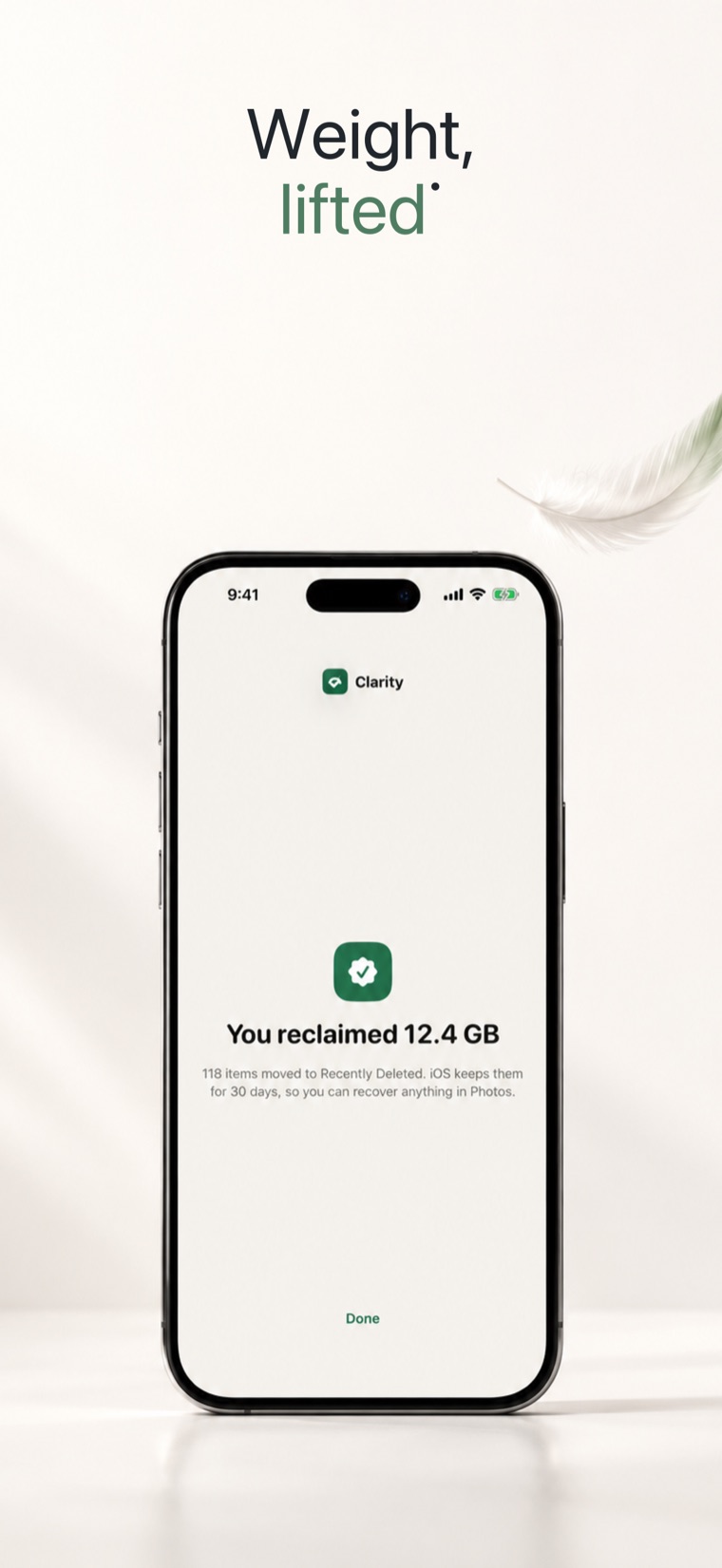
Clarity Coming to the App Store
iPhone · on-device photo cleaner

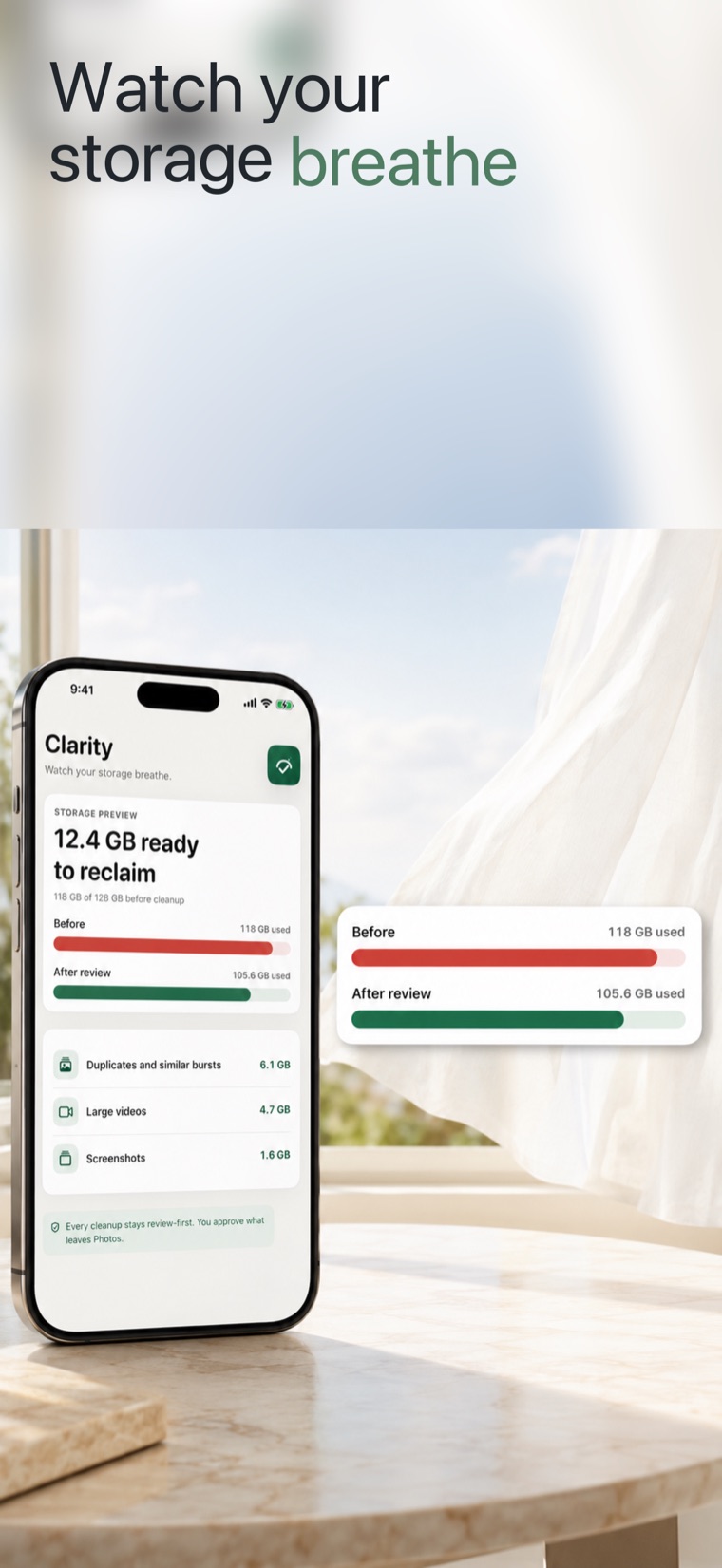
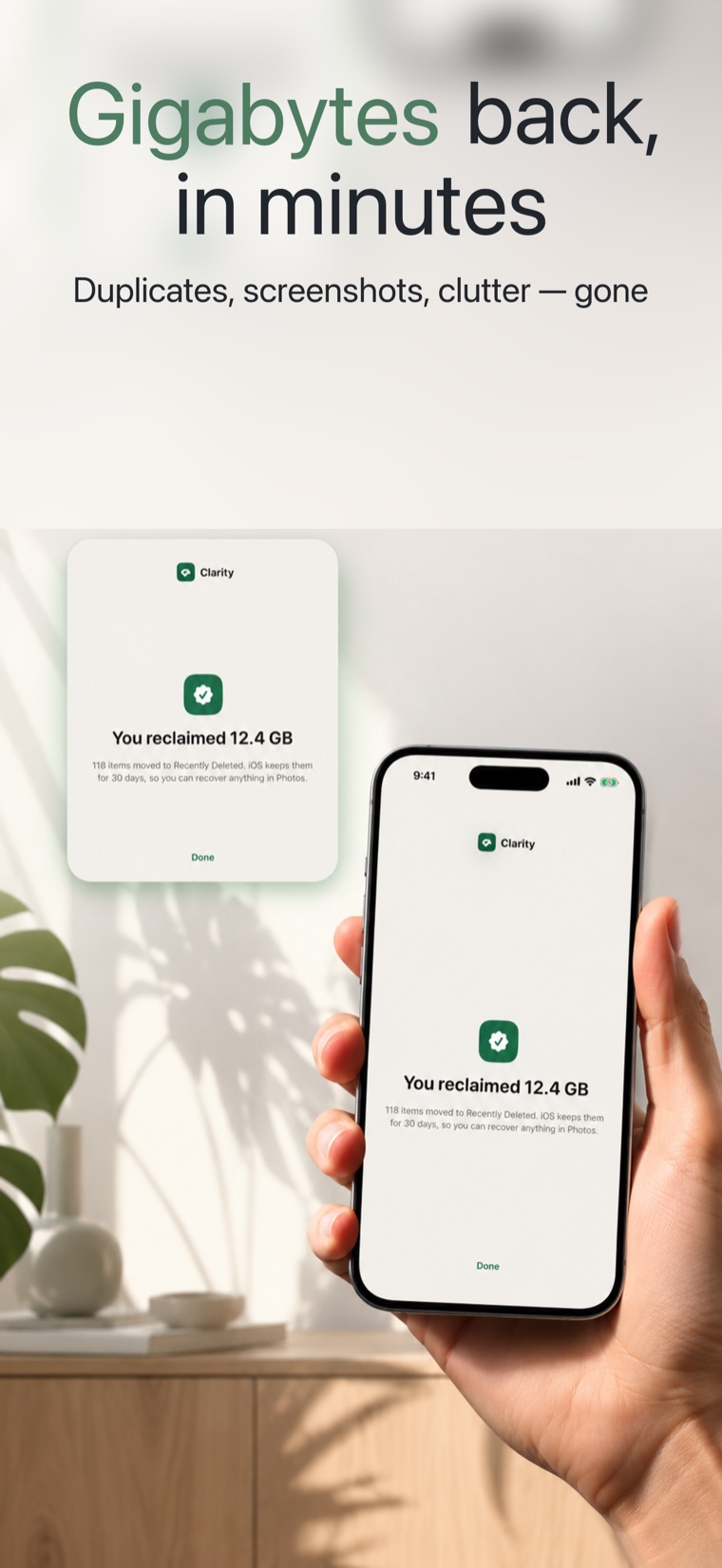
Reclaim your storage
without gambling with your photos.

Clarity scans your photo library on-device, no upload, no account, and shows exactly how much space you can reclaim from duplicates, blurry shots, screenshots, and large videos. You approve every deletion yourself. It never deletes anything on its own.

Coming to the App Store · iPhoneSee how it works
Fully on-deviceNo account, no uploadData Not Collected
Clarity app screen
Find the space, keep the memories

See what to clear. Decide what to keep.

Clarity does two things well: it finds the clutter that's eating your storage across five real categories, and it makes deletion safe, manual-approval only, with your favorites protected and a 30-day undo on everything.

The scan loop

Five categories, scored on-device

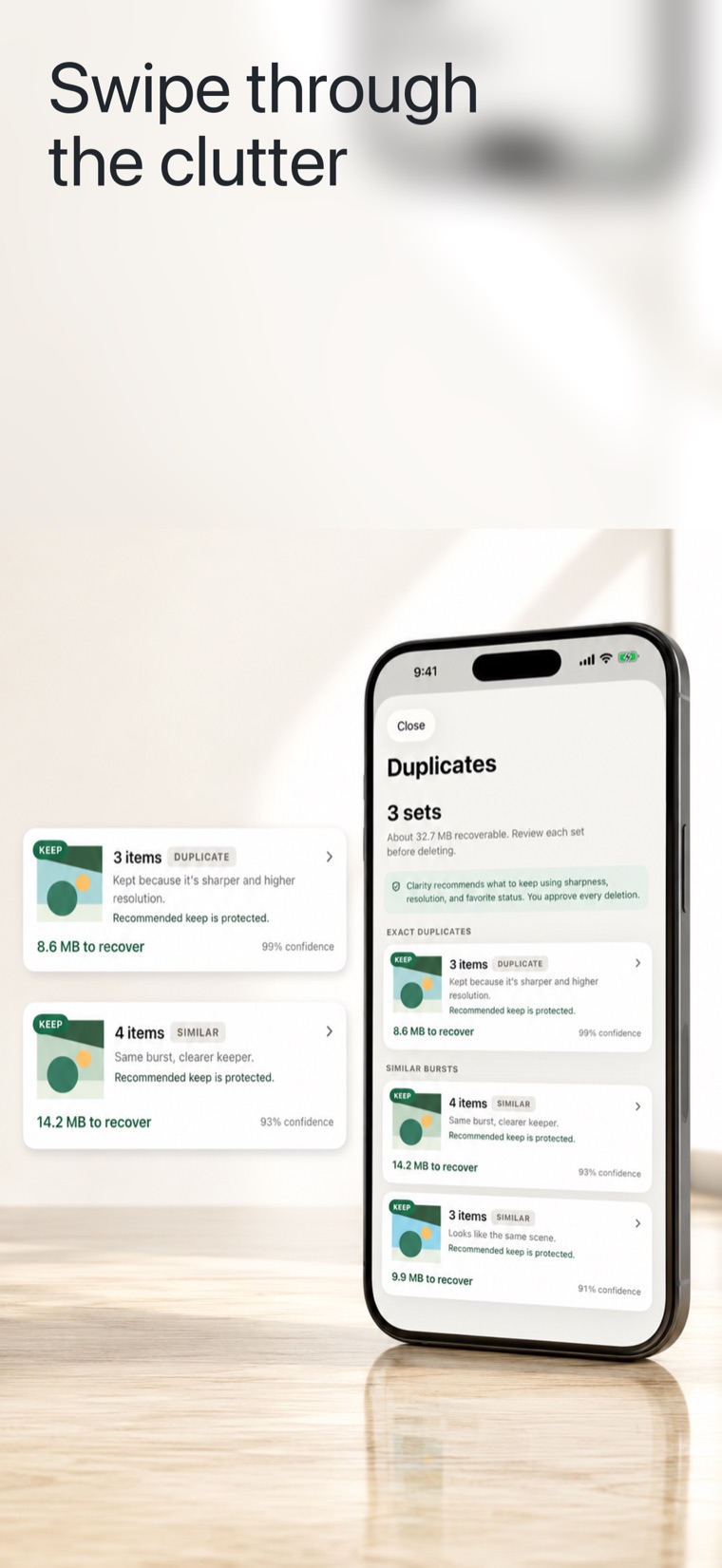
One scan groups your library into exact and near-duplicate photos, similar burst shots, blurry or badly-exposed shots, screenshot clutter, and large videos. For every duplicate cluster, Clarity makes a keep-best recommendation with a plain-English reason like “sharper” or “higher resolution”, and you can always override it.

Five categories, scored on-device
The safe-cleanup loop

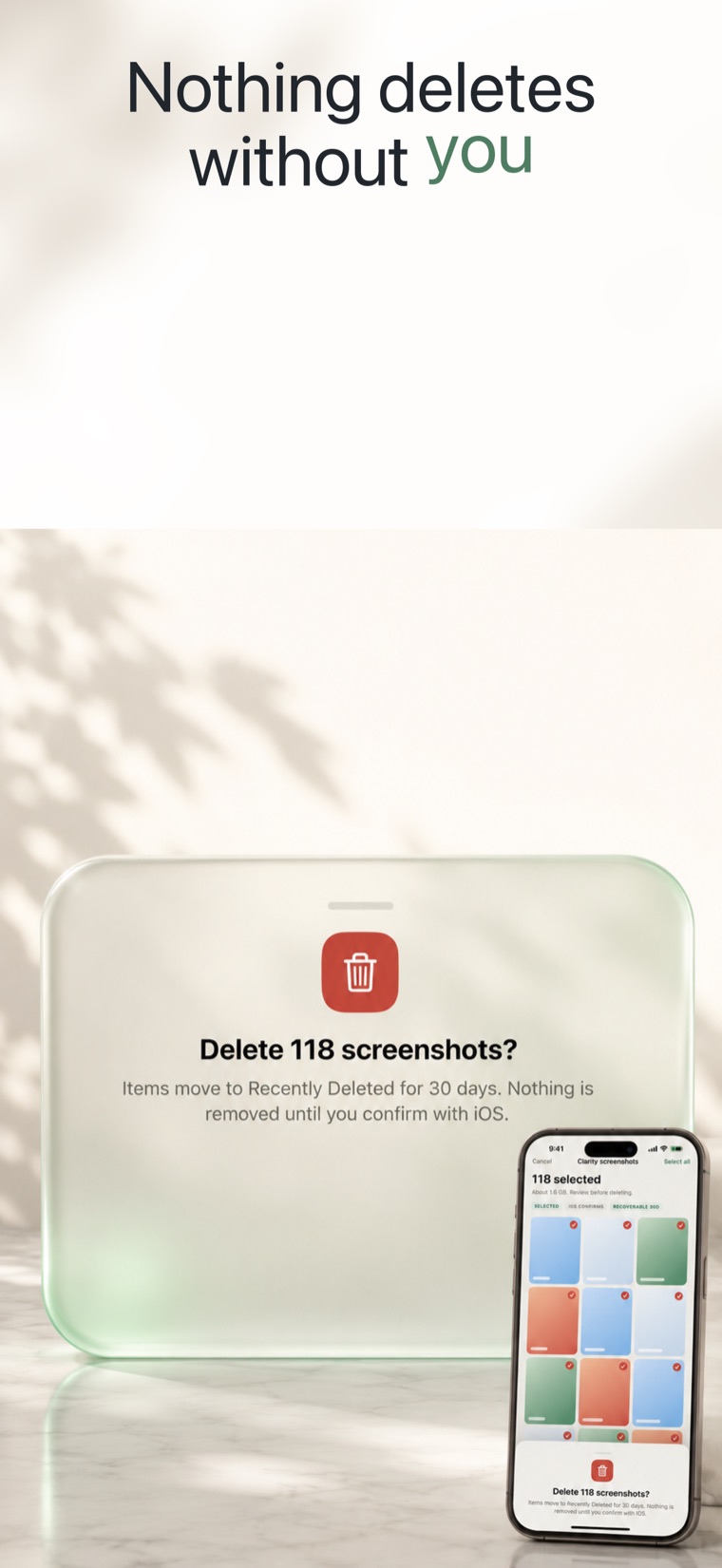
Nothing deleted without your approval

Every deletion is confirmed by you and routed through a single safety-guarded path, so manual approval is structural, not a setting. Favorites and hidden photos are protected, low-confidence clusters are never pre-ticked, and screenshots from the last 7 days are left alone. Anything you remove sits in iOS Recently Deleted for 30 days, fully recoverable.

Nothing deleted without your approval
Honest about scope

It cleans your Photos library. That's the whole job.

Clarity reclaims space from photos and videos, and nothing else. No “System Data” magic, no virus scans, no battery or speed claims. If your storage is mostly photos and videos, that's exactly the part it's built to fix.

● On-device

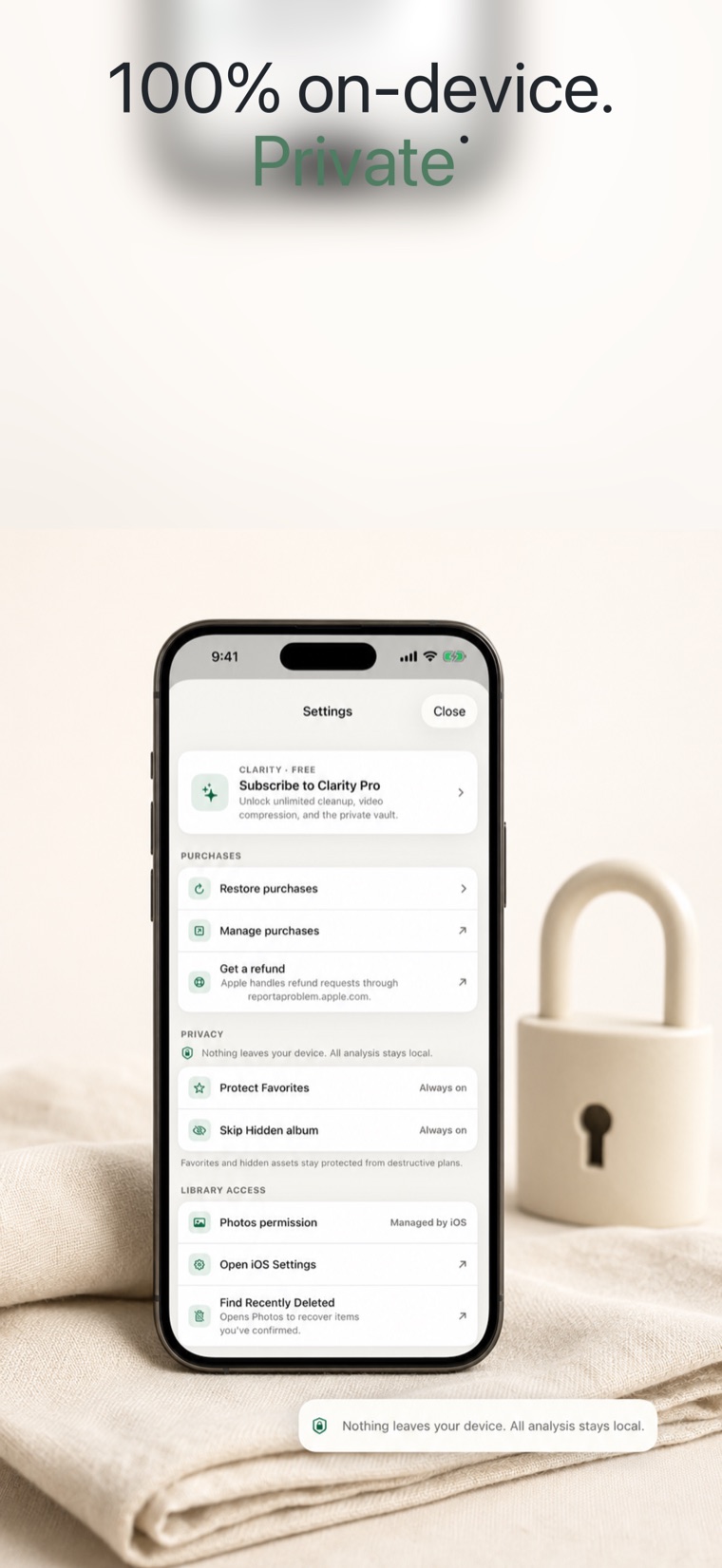
Nothing leaves your phone

No photos, videos, thumbnails, file names, or metadata are uploaded or persisted off-device. There's no account and no cloud upload, the App Store privacy label is Data Not Collected, with no analytics or ad SDK shipping by default.

● Photos only

Not a whole-device cleaner

Clarity does not touch system files, app caches, “Other” storage, or anything outside your authorized Photos library. No encrypted vault, contacts, or calendar cleanup in this version, that honesty is the point.

● iCloud caveat

Where verification has limits

iCloud-only assets are analyzed from metadata and low-res thumbnails; full verification needs a download you start yourself, and Clarity never auto-downloads over cellular. Results are local, there's no cross-device sync.

Clarity never deletes anything automatically. You confirm every deletion, and anything removed is recoverable for 30 days.
Methodology

How Clarity finds clutter, on your iPhone, not a server.

Every scan runs locally on Apple's own frameworks. The point is a duplicate finder you can trust because the matching is explainable and the deletion is yours to approve.

  1. Read the library locally with PhotoKit

    With your permission, Clarity reads your Photos library through Apple PhotoKit. Nothing is copied off the device, no photos, thumbnails, file names, or metadata leave your iPhone, and there is no account or server in the loop.

  2. Match images with Vision feature prints

    For similarity, Clarity uses Apple's Vision feature print, a compact numeric fingerprint of each image computed on the Neural Engine. Comparing fingerprints by distance is what separates exact and near-duplicate photos and similar burst shots from genuinely different ones, so a re-saved or lightly-edited copy is caught even when file size and date differ.

  3. Recommend a keep-best, with a reason

    For each duplicate cluster Clarity recommends one photo to keep and says why in plain English, “sharper” or “higher resolution”, rather than an opaque AI pick. Sharpness, resolution and exposure feed the call, and you can override any recommendation before approving.

  4. Compress large videos instead of deleting

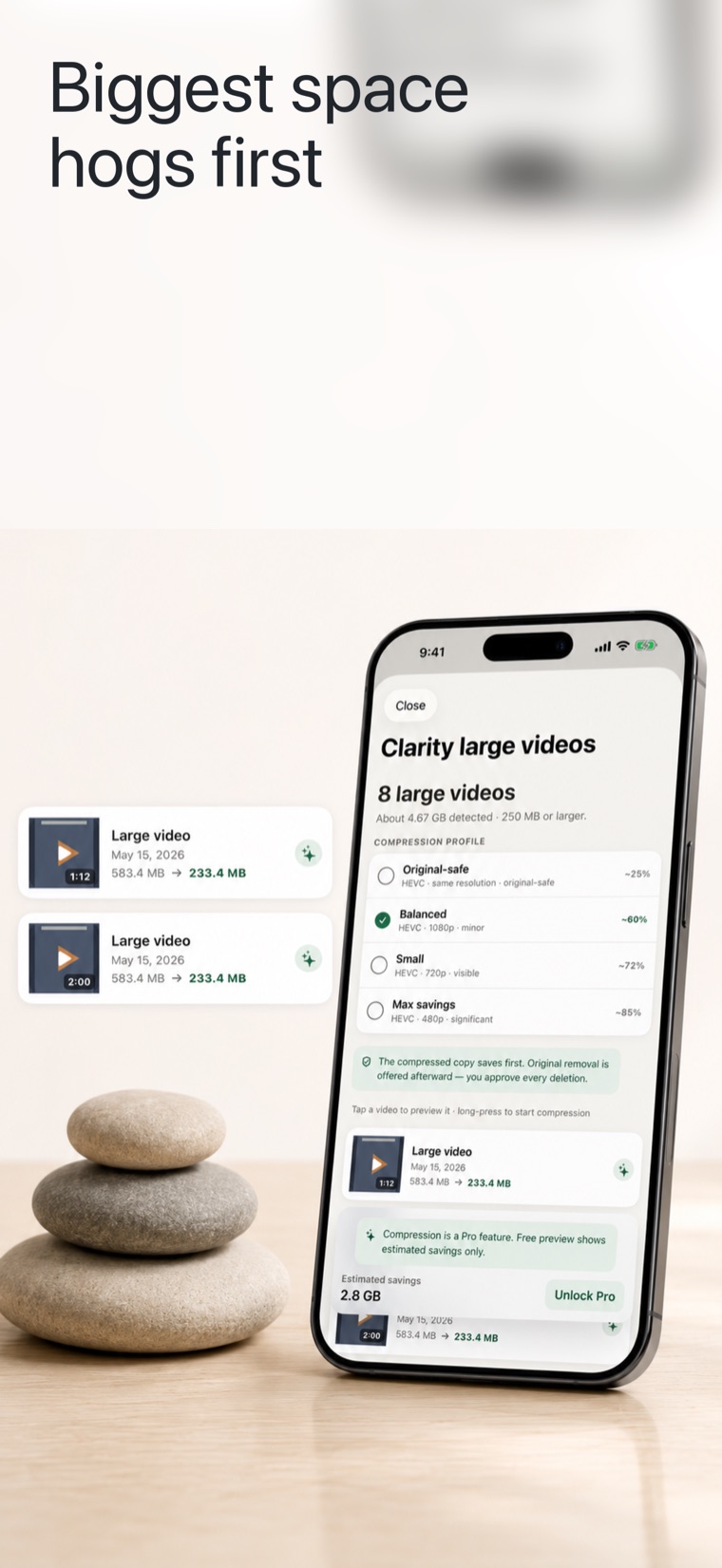
    The biggest single wins are usually 4K clips. Clarity can re-encode large videos with AVFoundation using HEVC (H.265), a codec designed to store video at similar quality in roughly half the space of older H.264, so you keep the memory and reclaim the gigabytes.

  5. Delete only on your approval, recoverable for 30 days

    Removal goes through one safety-guarded path. Favorites and hidden photos are protected, low-confidence clusters and screenshots from the last 7 days are never pre-selected, and nothing leaves until you confirm. Approved items land in iOS Recently Deleted, where Apple keeps them recoverable for 30 days.

Clarity reclaims space from your Photos library, it is not a whole-device cleaner and makes no virus, battery, or speed claims. Sources: Apple PhotoKit, Apple Vision (feature prints), Apple AVFoundation (HEVC), and Apple Support: Recently Deleted.

What it does, and doesn't

Honest about the edges.

A cleaner is only worth trusting if it's clear about what it won't touch. Here's both sides.

Clarity does

  • Find exact and near-duplicate photos, similar burst shots, blurry shots, screenshots, and large videos
  • Recommend a keep-best per cluster with a plain-English reason you can override
  • Compress large videos with HEVC so you reclaim space without deleting the memory
  • Keep every scan and decision on-device, with no account and nothing uploaded
  • Route deletion through one approval path, with favorites protected and a 30-day undo

Clarity doesn't

  • Delete anything on its own, every removal needs your confirmation
  • Clean system files, app caches, “Other” storage, contacts, or calendar
  • Make virus, battery, speed, or “System Data” claims it can't back up
  • Auto-download full-resolution iCloud assets over cellular to verify them
  • Sync across devices, back up to a cloud, or run on Android or the web (iOS only)
Good to know

The questions people ask before installing.

Read the full FAQ →

Will Clarity delete my photos automatically?

No. Clarity never deletes anything on its own. Every deletion is confirmed by you and routed through one safety-guarded path, so manual approval is structural, not a setting you might leave off. You review each cluster and approve before anything is removed.

Can I undo a deletion if I make a mistake?

Yes. Anything you remove with Clarity moves to iOS Recently Deleted, where Apple keeps it for 30 days before permanent removal. So an accidental deletion is always recoverable within that window.

Are my photos uploaded anywhere?

No. Everything runs on your device. No photos, videos, thumbnails, file names, or metadata leave your phone. There is no account and no cloud upload, and the App Store privacy label is Data Not Collected, with no analytics or ad SDK shipping by default.

How does Clarity decide which photo to keep in a duplicate set?

For each duplicate cluster, Clarity compares the photos using Apple's on-device Vision feature prints and recommends a keep-best with a one-sentence reason in plain English, such as “sharper” or “higher resolution.” The recommendation is a suggestion you can always override.

Does Clarity work with iCloud Photos?

Yes, with one caveat. For iCloud-only assets, Clarity analyzes from metadata and low-resolution thumbnails; full-resolution verification needs a download you start yourself, and Clarity never auto-downloads over cellular. Results are local, there is no cross-device sync.

Will Clarity free up System Data or “Other” storage?

No. Clarity reclaims space from your authorized Photos library only. It does not clean system files, app caches, “Other” storage, contacts, or calendar, and it makes no virus, battery, or speed claims. If your storage is mostly photos and videos, that is exactly the part it fixes.
See more apps by Keltek AI

Get your storage back, safely.

A calm, fully on-device way to reclaim space from your photo library, with manual-approval deletion, protected favorites, and a 30-day undo on everything.

Coming to the App Store · iPhoneSee who it's for